 BillsOn
Any payment schedule
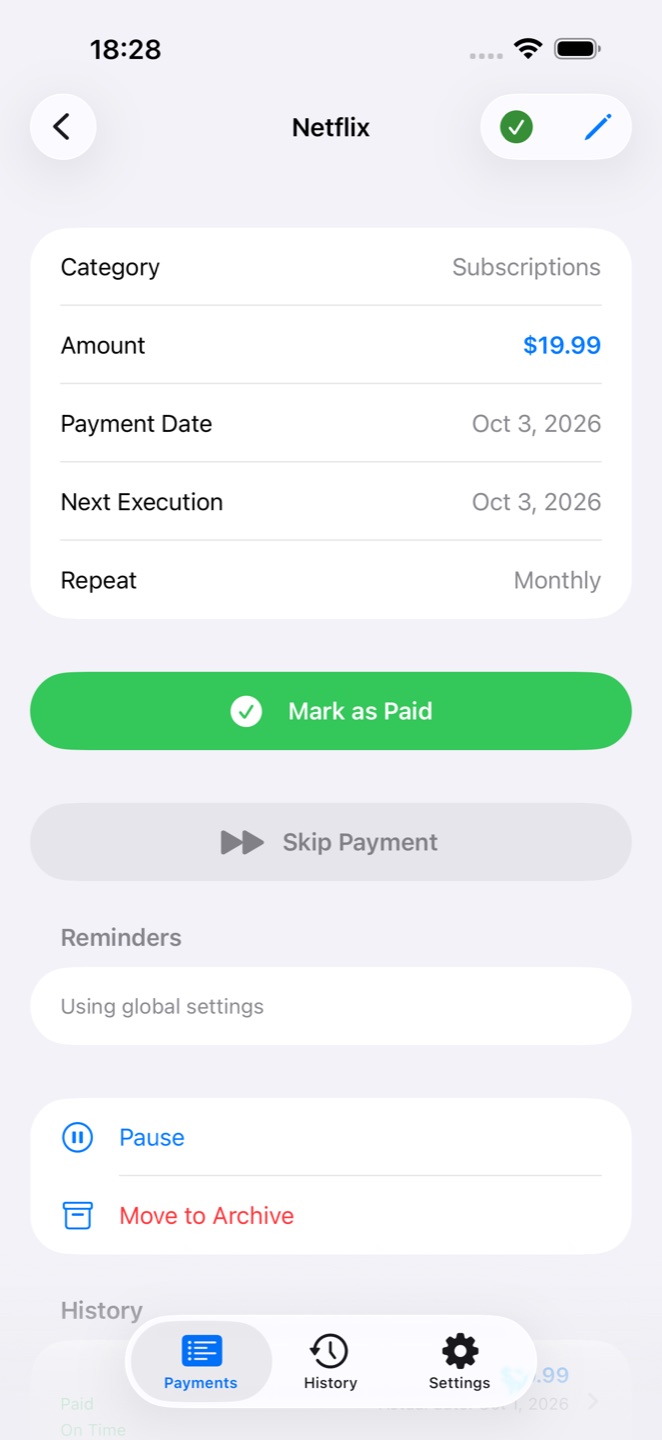
Weekly, every two weeks, monthly, quarterly, twice a year, yearly or on your own custom schedule.
Bill Reminder Planner BillsOn
Bills, loans and subscriptions in one clear app. Plan ahead, get reminders and mark a payment with a tap.
iPhone · widgets · Apple Watch · iCloud
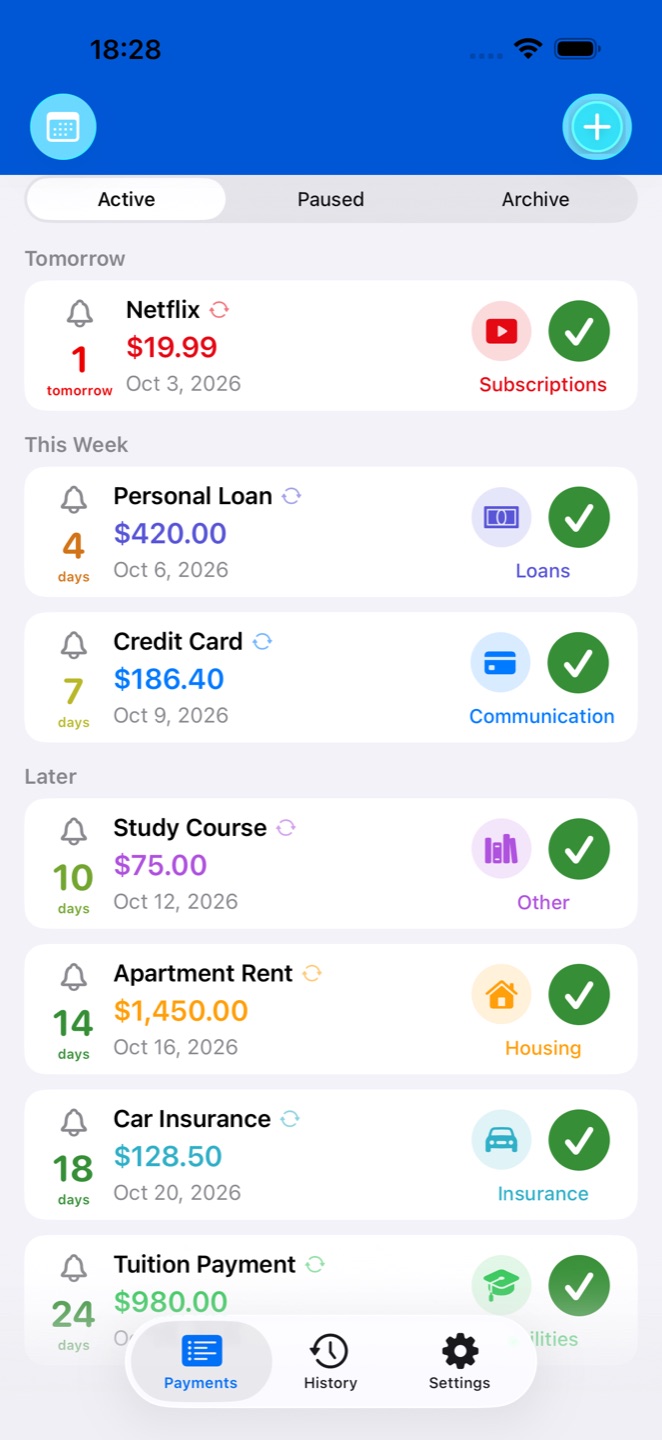
Rent, utilities, subscriptions, insurance or tuition. BillsOn keeps your commitments together and helps you keep track of their due dates.
Weekly, every two weeks, monthly, quarterly, twice a year, yearly or on your own custom schedule.
Set multiple reminders for a payment: notifications or on-screen alarms, vibration and a snooze option.
Record full or partial payments. Carry the remaining balance into the next period and undo a payment recorded by mistake.
Attach receipt photos and PDF invoices directly to a payment. Keep documents alongside its amount, date and history.
Review past payments, pause commitments and archive those that have ended.
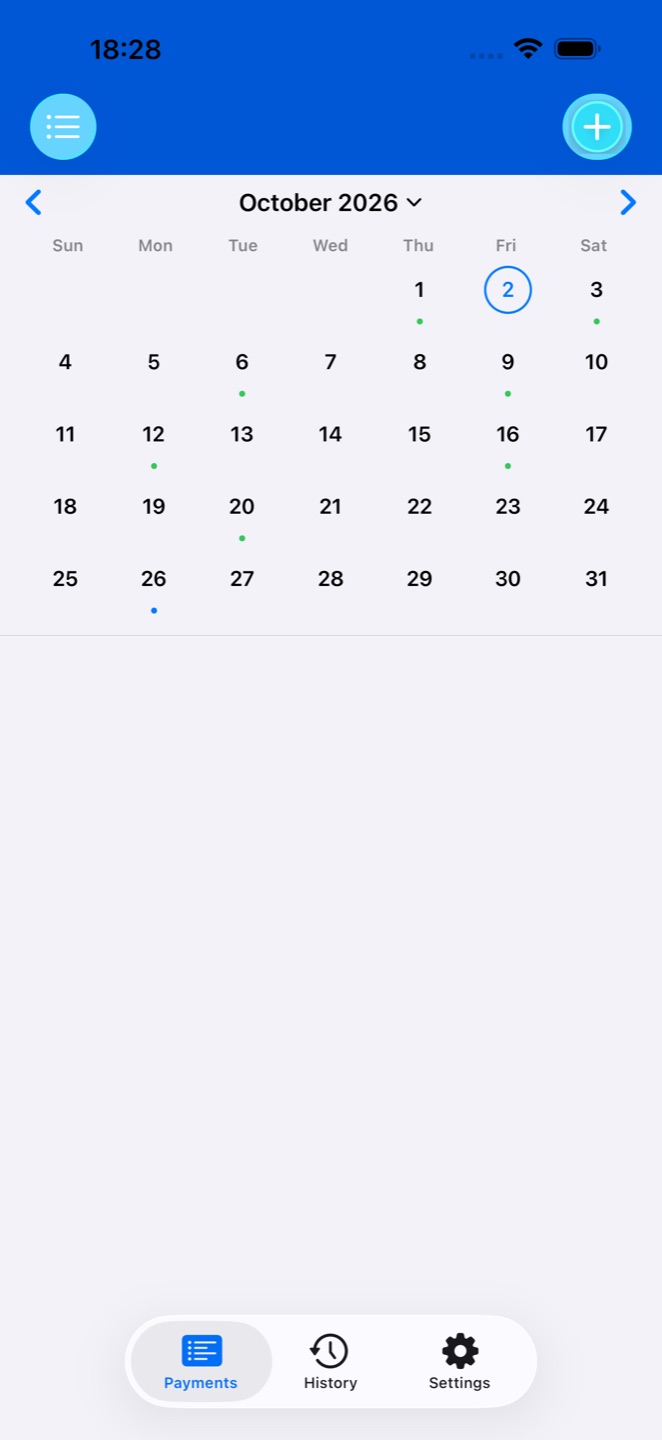
See what comes due on a selected date and plan your month around upcoming expenses.
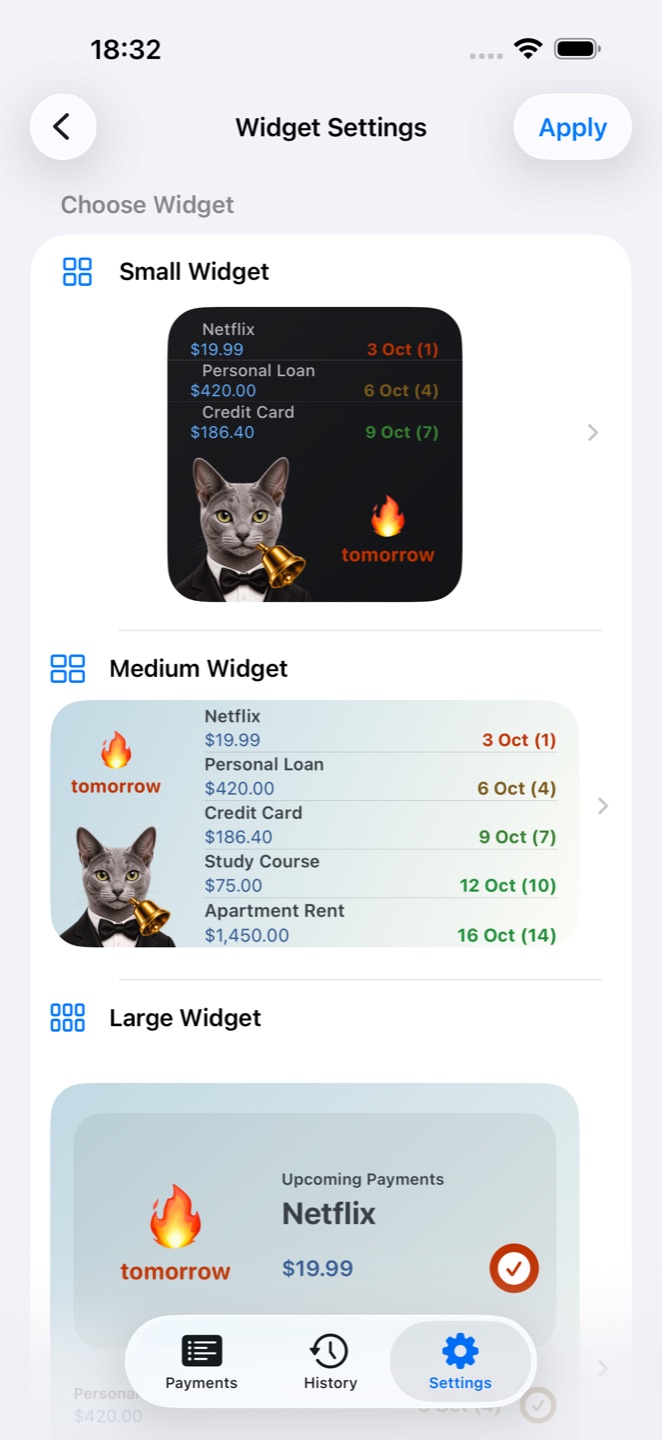
Make your widget work for you. Configure it in BillsOn and keep upcoming payments in sight without repeatedly opening the app.
Illustrative Apple Watch interface. Appearance varies by device and settings.
Open upcoming payments on your watch, check the amount and due date, then mark a bill as paid. The action is sent to the app on your iPhone.
Choose a built-in tone or import your own audio file. Give payment reminders a recognizable sound that is easy to tell apart from other notifications.
Sounds, alarms and notification delivery depend on permissions, your iOS version and system settings.
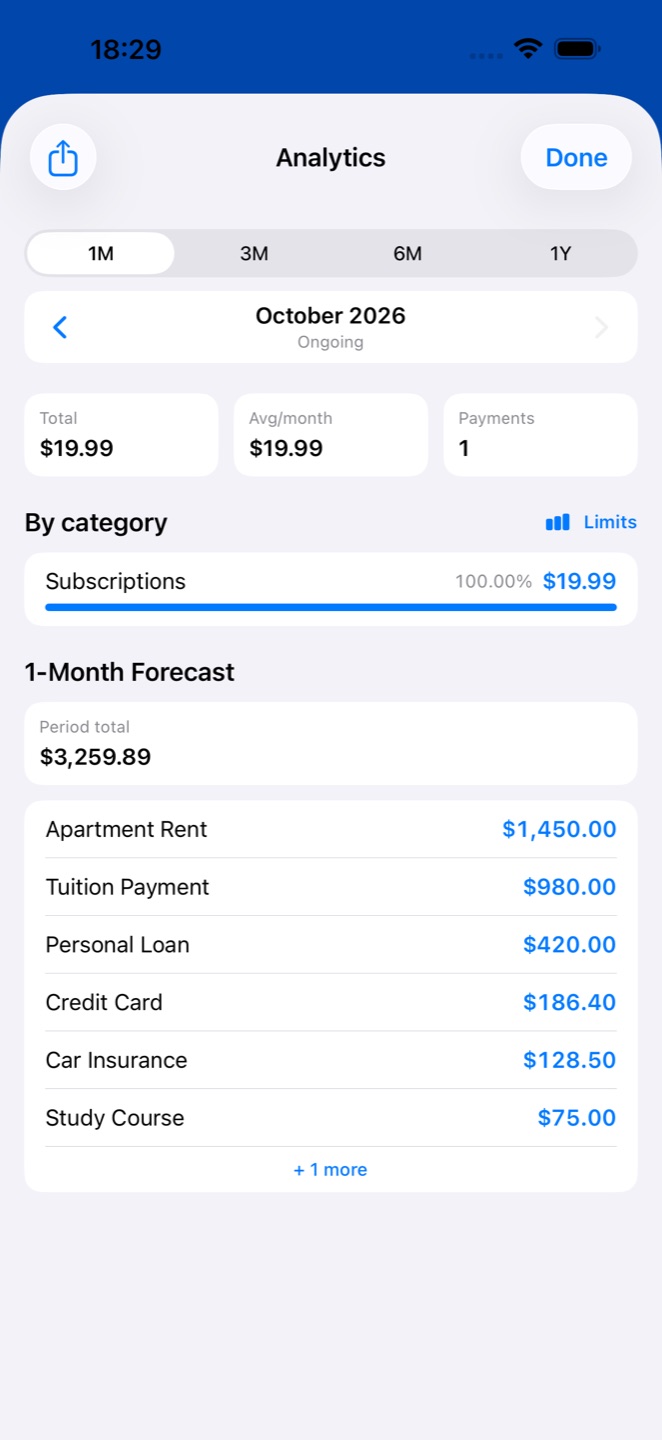
Track loan commitments alongside everyday bills and understand the expenses coming your way.
Sync your data between supported devices through your own iCloud account. Siri shortcuts help with everyday actions.
Protect access with the biometric authentication available on your device.
Cat and dog animations when you mark a bill paid, alternate app icons, Dark Mode and dozens of interface languages.
Yes. Add a recurring payment with the right schedule, such as monthly or yearly.
A payment can be tracked with a name, amount and schedule. Marking it as paid records its status in BillsOn; the app does not transfer money.
Open the widget setup wizard in BillsOn, choose its appearance and configuration, then add the widget using your device’s system controls.
View upcoming payments, amounts and due dates, and send a payment confirmation to the app on your iPhone.
Check notification permissions, the selected sound, Focus mode and device settings. On-screen alarm availability depends on your iOS version.
Bring your payments together, set reminders and see what is coming next with BillsOn.
View on the App Store